No, you can use any platform that hosts your pics or videos. .. YT is also an option.
You just can't upload videos directly on the forum. (Due to the size and cost of hosting the files)
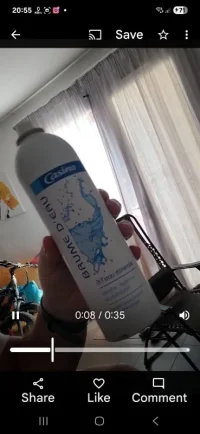
That is just a shared link from my online Google photo album.
I took the video on my phone, which copies to the cloud..... And shared the link to it .. so it's hosted on Google servers.
You can do the same with iCloud photos on iPhone.
To share a video clip from Google Photos, open the Google Photos app, select the video, tap the Share icon, and then choose your sharing method: either directly with Google Photos contacts, by creating a shared album, or by generating a shareable link.
Here's a more detailed breakdown:
1. Sharing directly within Google Photos:
Open the Google Photos app and sign in.
Select the video you want to share.
Tap the Share icon.
Choose the contacts you want to share with. You can select individual people, create a group, or search for specific contacts.
Optionally, add a message to accompany the video.
Tap Send.
2. Creating a Shared Album:
Open the Google Photos app and sign in.
Tap Photos at the bottom.
Select the photos and videos for the album.
Tap Add at the top, then Shared album.
Give the album a title.
Tap Share and select who to share it with.
3. Generating a Shareable Link:
Follow steps 1-3 from the "Sharing directly" method.
Instead of selecting contacts, look for an option to create a shareable link.
Copy the link and share it through any messaging or social media platform.
This video explains how to share photos and videos in Google Photos using the 'Create Link' option
Additional tips:
You can trim videos before sharing using the "Quick edits" feature if it's enabled in your settings, says Google Help.
When sharing via link, you can choose whether others can view only or also add their own photos.
Shared albums allow for collaborative additions from other users with Google accounts.
You can find your shared albums, conversations, and sharing activity by clicking Sharing at the top left on photos.google.com, notes Google One Help.
This video discusses the option to create a shareable album and manage permissions:
...
....