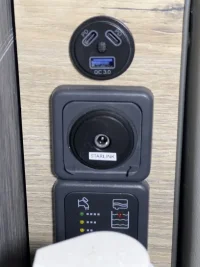
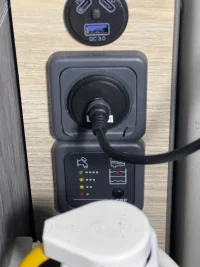
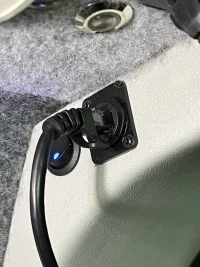
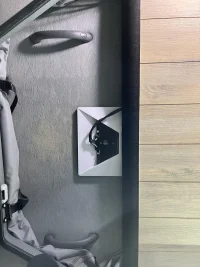
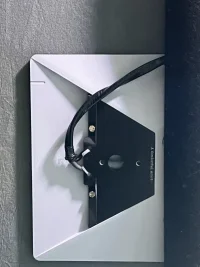
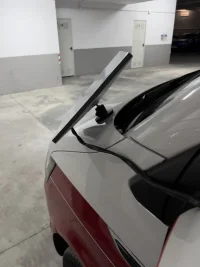
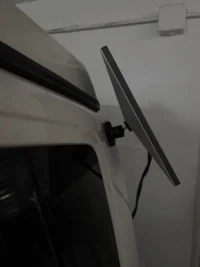
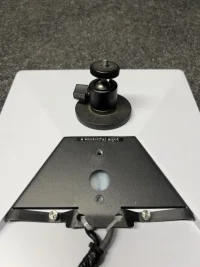
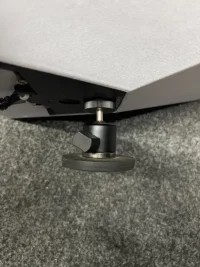
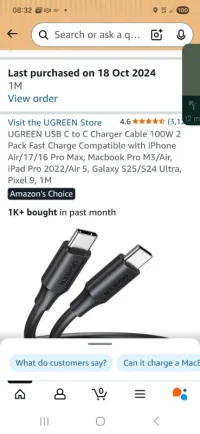
You need to use a cable that's in rated for the 100w though..
That usb-SL cable I linked above works, as does the 165w 12v-USBc adapter.
That usb-SL cable I linked above works, as does the 165w 12v-USBc adapter.



Ready for bed having watched that and about Starshield! Fascinating though!

 I wont put a link, there is plenty out there. Meanwhile ~ *cough ~ very happy with my Starlink. - NB: I am aware orbital layers exist, i.e it's like an onion, so geo-stationary are further out than Starlink & Amazon constellations.
People like photos! I certainly would like to see how it's placed up there!Yep that how we use ours on the move. Only loose internet going into tunnels otherwise 100% service. Can take photos if you want them.


I will post photos later today.Yep that how we use ours on the move. Only loose internet going into tunnels otherwise 100% service. Can take photos if you want them.
That’s good news. We don’t use our roof bed so I’m thinking of just fixing it up there. I’m assuming solar panels could cause a bigger issue though so probably need to place it somewhere it’ll miss them?Yep that how we use ours on the move. Only loose internet going into tunnels otherwise 100% service. Can take photos if you want them.
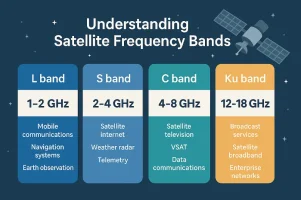
Google AL:Looks like the dish uses KU band radio lines nk.
*****
Starlink primarily operates using Ku-band (12–18 GHz) for user terminal communications and Ka-band (27–40 GHz) for gateway links,
*****
alongside E-band (71-86 GHz) and V-band for higher capacity. User terminals typically use 10.7–12.7 GHz for downlinks and 14.0–14.5 GHz for uplinks, with newer V3 satellites introducing higher Ka/V-band frequencies for increased throughput.
Key Frequency Band Breakdown
Ku-Band (10.7–14.5 GHz): Used for daily, high-speed user internet connectivity. Downlink (satellite-to-user) is 10.7–12.7 GHz, and Uplink (user-to-satellite) is 14.0–14.5 GHz.
Ka-Band (17.8–30 GHz): Primarily used for high-capacity gateway-to-satellite communications.
E-Band (71–86 GHz): Utilized for high-speed satellite backhaul.
V-Band (40–75 GHz): Employed for increased, higher-speed data throughput, particularly on newer V3 satellites.
Optical Intersatellite Links: Satellites use laser links (approx. 1550 nm) for direct, orbital communication, bypassing ground stations.
Operational Context
User Terminals (Dishy): Use phased-array antennas to connect via Ku-band, often requiring clear line-of-sight, which can be affected by heavy rain, especially with higher bands.
Gateways: Connect the satellites to the internet backbone via high-frequency Ka and E-bands.
Hardware Evolution: V2 Mini satellites use Ku and Ka-band, while V3 introduces V-band and enhanced E-band for higher capacity.
Wi-Fi Router: The in-home router uses standard 2.4 GHz, 5 GHz, and 6 GHz fequencies.
...
View attachment 316705
so the signal wont go through trees and folage, as its wet and contains liquid. ( which is what i experiend when camping, trees and bushes show as blocking signal)Ku-band signals (approx. 10–14 GHz) generally do not pass through wood well, especially if it is wet, green, or thick. Because Ku-band has a short wavelength (roughly 2–3 cm), it is highly susceptible to absorption and scattering by moisture, which is found in living trees, leaves, and damp wood.
Here is a breakdown of how Ku-band interacts with wood:
Wet/Live Wood (High Obstruction): Water molecules in tree foliage and branches act as a barrier, absorbing the signal and causing heavy attenuation. This is why dense, wooded areas often block satellite internet signals like Starlink.
Dry Wood (Moderate Obstruction): Dry, thin wood (like thin plywood or shingles) may allow some signal to pass through, but with significant attenuation. It is not ideal, as even dry wood acts as an obstacle to these high-frequency signals.
Density Matters: Thick wood, wet wood, or dense foliage will likely block the signal entirely.
Practical Application (Satellite TV/Internet): For systems using Ku-band, it is strongly recommended to have a completely clear line of sight, as trees in the signal path cause intermittent service or complete signal loss.
In short, for reliable connectivity, you cannot expect Ku-band to penetrate trees or wooden structures effectively.
I've got most, if not all the power options that are available.@Dellmassive I guess fibreglass is less of an issue due to its composition?
Also had another question for you. Wondering why you went down the 12v adapter route vs the other option you mentioned, given that you’re wiring into the battery anyway? I’m thinking for me I have a 12v supply in the roof bed area and maybe installing one of these with a switch (don’t think I’ll leave it on all the time!) might be a cleaner option. But you must have had your reasons not doing this?
Are those the same things linked in your first post or new options? If new ones would you mind sharing the links please? TaI've got most, if not all the power options that are available.
the main one i use is the:
12v leisure battery -> fused Anderson quick connect to 12v socket -> 12v USB-C PD plug -> USB-C PD to SL plug cable.
or
12v leisure battery -> fused Anderson quick connect to 12v socket -> 12v-19v SL PSU -> Original SL to SL plug cable.
or - New for this season.
The new Battery V2 unit . . . which @Mick and @eli have more run time on. . .

 starvmount.com
Photo'sI will post photos later today.