STARLINK (Satellite Internet and WIFI) -- How I Done It --

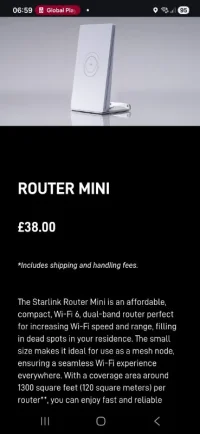
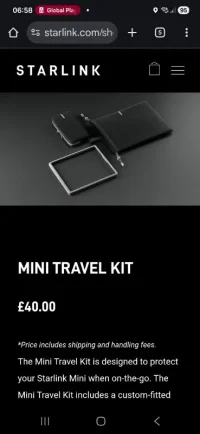
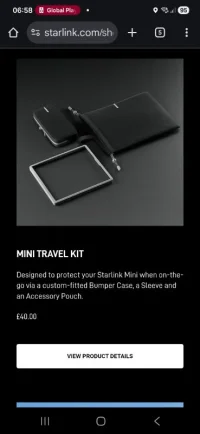
I've ordered these two for the SL Mini.

I'm also thinking of spraying the SL Mini Matt/satin Black.... For the upcoming EU trip.

When we traveled before it spent most of the time on the dash, but the white reflection was annoying...... Painting it black should help. (Also though about a black mesh sack /stuff bag)

But anyway... This stuff.

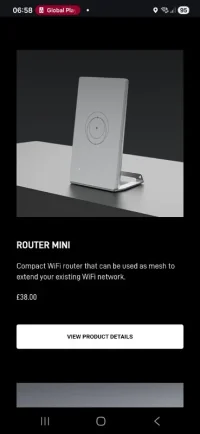
The router mini works in wired mode or WiFi mesh mode..... So you can use it to boost the signal further... It's not battery so needs power.

Should be interesting playing with it.

..

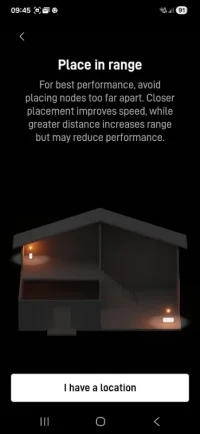
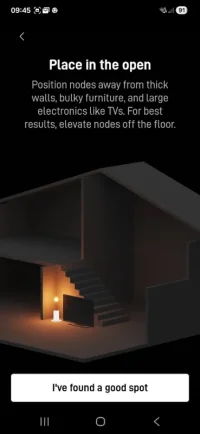
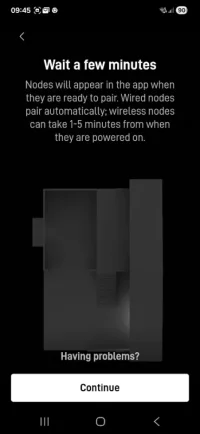
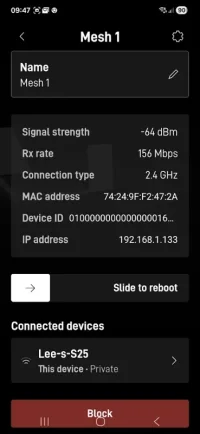
Screenshot_20260119_065906_Chrome.webpScreenshot_20260119_065851_Chrome.webpScreenshot_20260119_065840_Chrome.webpScreenshot_20260119_065832_Chrome.webpScreenshot_20260119_065803_Chrome.webp


...
 
Anyone done the NC500 with starlink? I’d assume service should be good around there as much as anywhere else? I’m thinking of doing nc500 this year but will need to work from the van so this may tip me over the edge
 
Anyone done the NC500 with starlink? I’d assume service should be good around there as much as anywhere else? I’m thinking of doing nc500 this year but will need to work from the van so this may tip me over the edge
No reason why it won't work around the NC500.

Space WiFi and all that.... Cloud and rain may slow the speed a tad, but the link should be good.
 
I've ordered these two for the SL Mini.

I'm also thinking of spraying the SL Mini Matt/satin Black.... For the upcoming EU trip.

When we traveled before it spent most of the time on the dash, but the white reflection was annoying...... Painting it black should help. (Also though about a black mesh sack /stuff bag)

But anyway... This stuff.

The router mini works in wired mode or WiFi mesh mode..... So you can use it to boost the signal further... It's not battery so needs power.

Should be interesting playing with it.

..

View attachment 314212View attachment 314213View attachment 314214View attachment 314215View attachment 314216


...
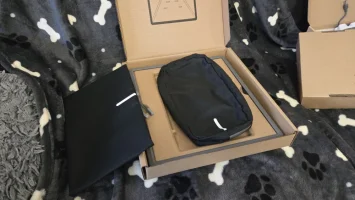
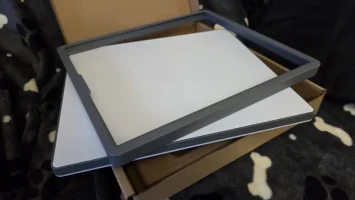
Here is the Travel kit.

1769245715196.webp


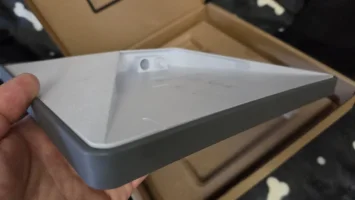
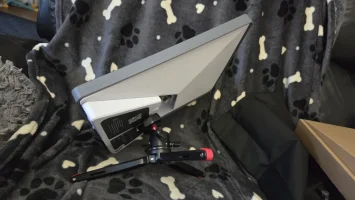
a nice fitting rubber surround, and its good to see that you can still fit the accessories on there.


1769245731328.webp1769245743066.webp

1769245762248.webp


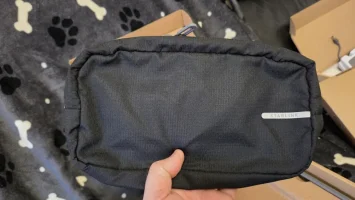
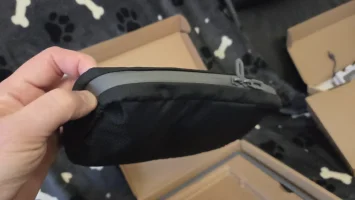
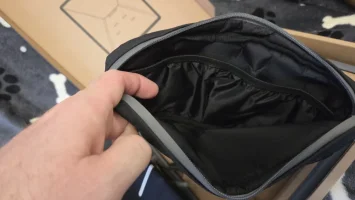
there is also a branded padded pouch for some cables and bits. . .


1769245794270.webp1769245801967.webp1769245807658.webp


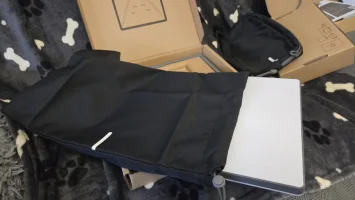
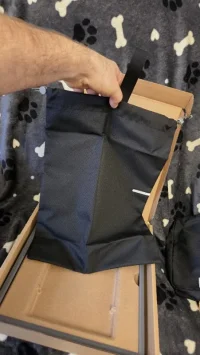
next up is the carry sack . . . . The dish fits in there perfect with some spare space for extras.


1769245841469.webp1769245882635.webp


overall its a thumbs up from me and a worthy addition to protect your investment.

#Dellmassive-Aproved

:mexican wave:


.
 

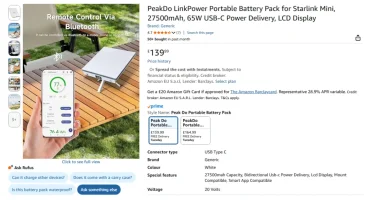
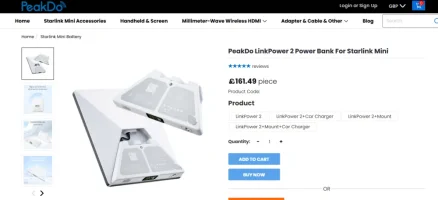
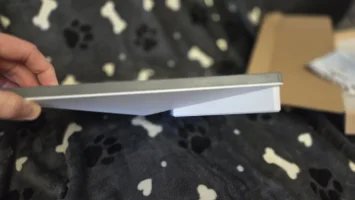
PeakDo LinkPower Portable Battery Pack for Starlink Mini, 27500mAh, 65W USB-C Power Delivery, LCD Display​


first discovered by @ELI and then copies by @Mick i thought id give it a go.


1769246145892.webp

+++++++++++

BUT - That was Version#1

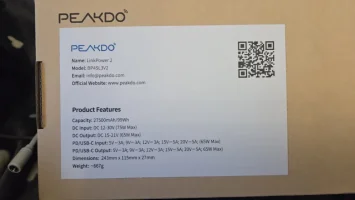
i have Version#2


1769246224218.webp


1769246272221.webp


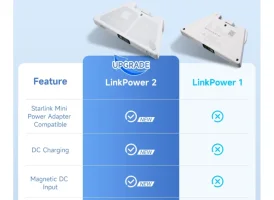
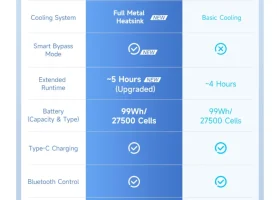
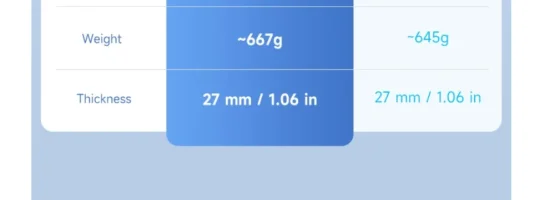
whats the difference from V1 to V2?


1769246321359.webp
1769246334344.webp
1769246346280.webp

you can now use the SL PSU to charge or pass-through. ( or charge with USB-C)

new metal frame,

magnetic safety power plug

longer run time?

+++++++++++++++++


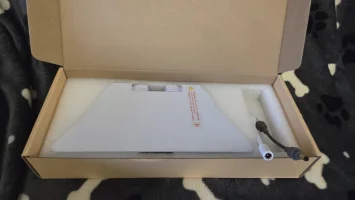
This is my one . . .

1769246468528.webp1769246476692.webp


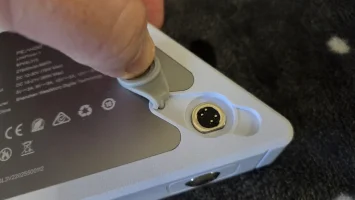
the magnestic power in port, so if the lead gets snagged it pops off. . .

1769246505921.webp1769246540069.webp

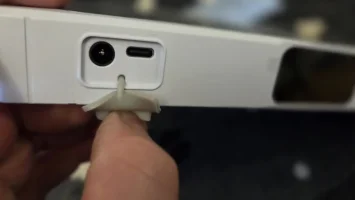
other ports with cover.

1769246523544.webp

clipped on it looks like this. . .


1769246562270.webp1769246598257.webp

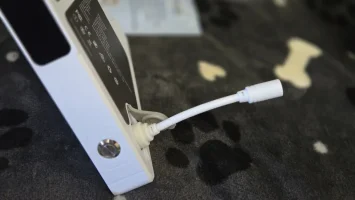
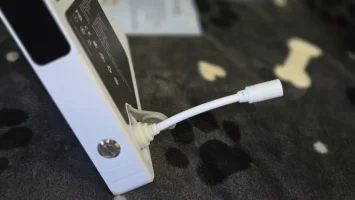
with a nice short SL power link lead...


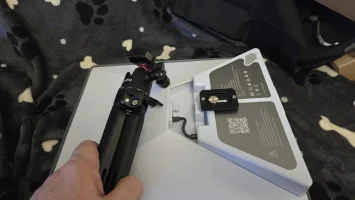
and threaded insert for any mount bracket.

1769246586938.webp

1769246630229.webp


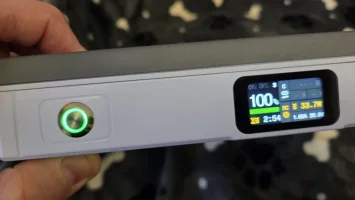
powering and charging it up you have a power button and small screen.

1769246661820.webp

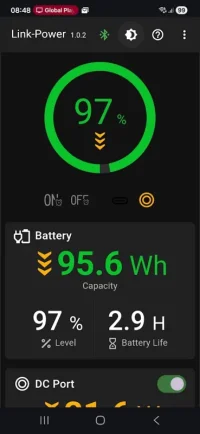
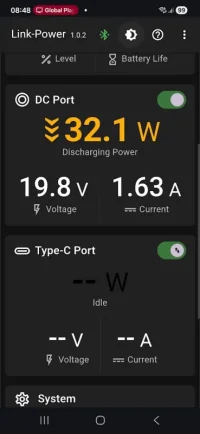
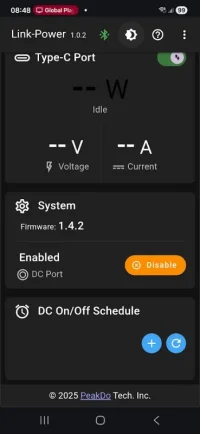
the BT App give you all the data you need. . .

1769246689161.webp1769246694646.webp1769246699596.webp

the final result for testing. . .


completely lead free for 3-5hrs.


1769246723565.webp


ill be doing run time tests in the near future.


use cases?:
take it with you on a hike?
sit it on the dash?
magmount to roof?
charge n go?
who knows, but i like it.

likes:
well built,
nice app,
nice screen,
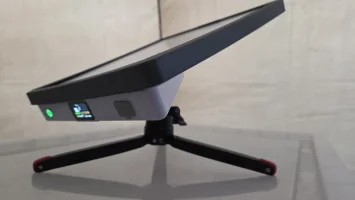
tripod mount,
OEM + quality,
simple to use,

dislikes:
wish the runtime was longer than the V1.

#Dellmassive-Approved


.
 
The MINI Mesh AP/Router

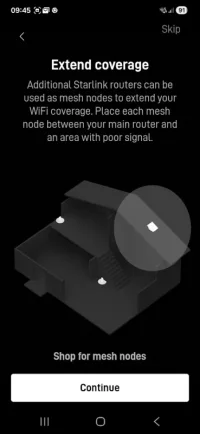
This can be used in MESH mode as a wifi-2-wifi range extender.

or in CABLE mode to get WIFI somewhere else far from the outside dish or INSIDE for example.

in a mobile camper setup id use this in WIFI MESH mode to have the dish on the van and boost the signal to the DISCO TENT as an example. (that means the local devices use less power connecting to the local AP versus the far away Dish)

This is perfect for using your SL mini at Home, have it outside/garden/whereever, then just run a CAT5 cable inside from the DISH to this unit and you get perfect WIFI inside while the dish stays outside. - happy days.


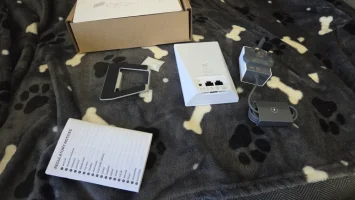
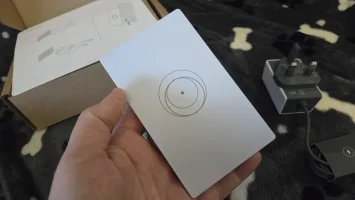
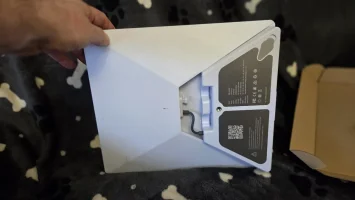
the kits is very simple, a mini router + PSU + wall/desk bracket.
..
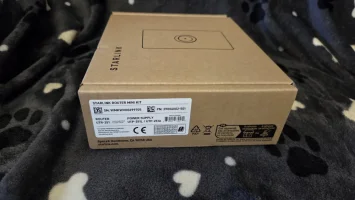
1769251902651.webp1769251913512.webp

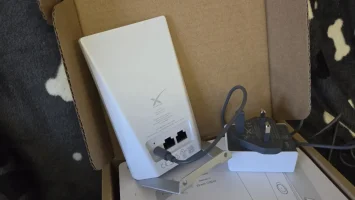
its nice a small. . .

1769252263049.webp


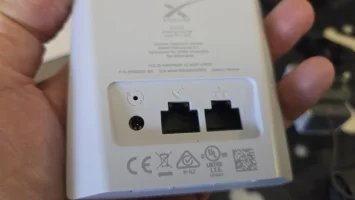
on the back you get the power port, plus two RJ45 ports for the cable connection if you want to use that.

one cable to the DISH, that's it - the second port is if you want to UPLINK the SL to a local LAN wired network or other Config.
1769252364995.webp

its all PLUG N PLAY

1769252392679.webp


the setup is so simple - i think SL have there user interface dialled in perfectly.
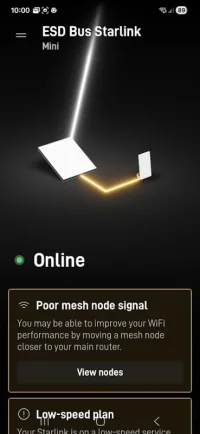
power it up and it pops up in the APP.
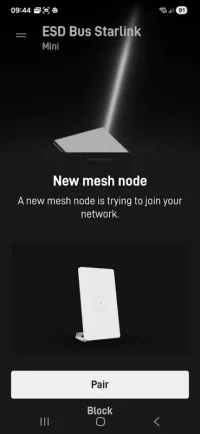
1769252443414.webp


and tells you exactly whats - what.

1769252462859.webp

simples.

1769252473174.webp

1769252483201.webp

and tells you about the wired option.
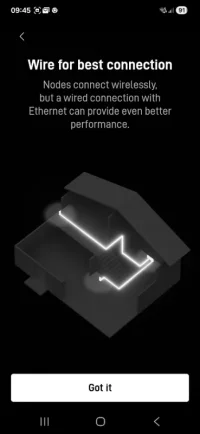
1769252511306.webp1769252522557.webp


give it a couple of mins . . . . and boom !! setup done.
1769252546651.webp

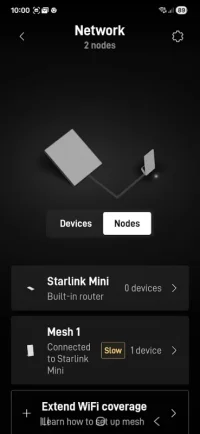
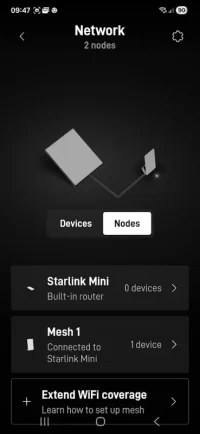
all the data is in the APP.

1769252566012.webp

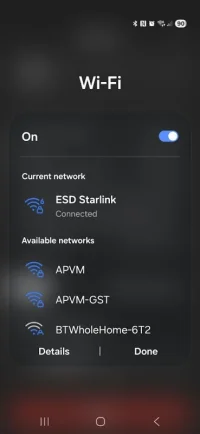
you can see it works a proper MESH network, you keep the same WIFI SSID, thats broadcast from both the DISH and the NODES, this is what your devices connect to as normal.

but the clever part is that they are invisibly connecting to each other over a hidden wifi backbone.

so no new wifi name or passwords - just the one thats already running.
1769252666581.webp1769252732292.webp


the jump/hop time is very fast - as you walk away from SL DISH our device will jump to the strongest signal.

here im near the DISH. . .
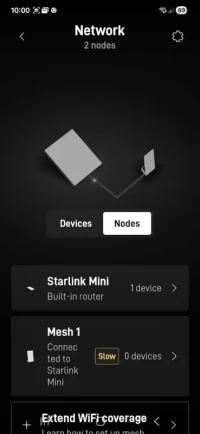
1769252790312.webp

and here im near the MESH Node,

1769252808314.webp


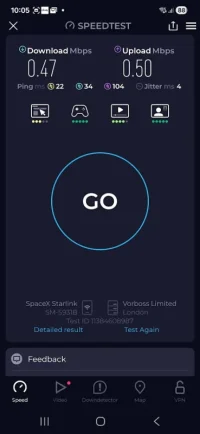
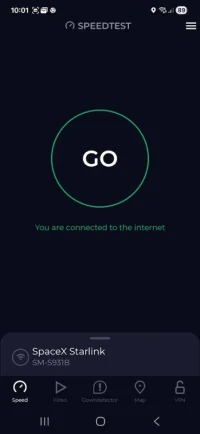
SPEEDTEST. . . . is not going to show us much as im on the STANDBY data package 0.5/0.5Mbps.

but well give it a go anyway.

1769252870153.webp1769252880209.webp


as expected - we just see the 500Kbps UP/DOWN as the SL & Nodes can go much faster.


but id need to jump to the ROAM package..
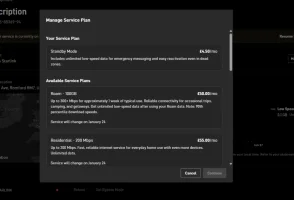
1769252998519.webp

its worth noting the the Node is also shown online on your account . .

Nice. . .


#Dellmassive-Approved

 
I took my Starlink mini & PeakDo V1.0 around France, Holland, Belgium and Germany.

Left it connected to the Starlink full time with the peak do connected the the 12v socket off the leisure battery.

Flawless for a week with no issues.
Am I missing something here? What is the difference to having it connected to the 12v socket off the leisure battery?
 
It runs better at 13v +: optimum is 20v which you get from a 240v socket. You don’t always get that from the leisure. The PeakDo battery gives out up to 22v & a higher wattage. Then the leisure just keeps it topped up.
 
Anyone done the NC500 with starlink? I’d assume service should be good around there as much as anywhere else? I’m thinking of doing nc500 this year but will need to work from the van so this may tip me over the edge
Local here and travel a fair bit round the area. The 4g is actually pretty good and I'd imagine your starlink will be absolutely fine if you went down that route.
 
I am of to Oz in March. Going from Perth to Sydney over a month. Taking my Starlink with me along with the PeakDo battery, Tripod and the Suction mount: I Intend to fit it on the windscreen of our Hire camper.

I’ve had a different mount for about 15 months now and it’s great just a bit too heavy for the luggage. It’s for sale!

PeakDo suction mount.

I’ll sign up to the 100mb service once I arrive and if that’s not enough then I move to the unlimited for the remainder of the time. however my contract renews on the 3rd of the month. I am there 9th Mar- 12th april. So I’ll just update if i need to.
 
It runs better at 13v +: optimum is 20v which you get from a 240v socket. You don’t always get that from the leisure. The PeakDo battery gives out up to 22v & a higher wattage. Then the leisure just keeps it topped up.
Is this not the same as using a usb-c PD charger though? I connect my pd charger to the 12v socket in my van and it can provide up to 18v
 
Is this not the same as using a usb-c PD charger though? I connect my pd charger to the 12v socket in my van and it can provide up to 18v
I'm hoping to use my Bluetti USB C 100w port for power for the starlink. Will that be OK?
 
I think it will work I use the Starlink usb-c PD connector straight for the normal 12v cig lighter socket.

Do you know if the bluetti usb-c port is PD compliant? If not it will still work but I think that might be the difference where it will just provide 12v rather than the slightly higher voltage what the performance impact of that is I don’t know
 
I think it will work I use the Starlink usb-c PD connector straight for the normal 12v cig lighter socket.

Do you know if the bluetti usb-c port is PD compliant? If not it will still work but I think that might be the difference where it will just provide 12v rather than the slightly higher voltage what the performance impact of that is I don’t know
I've just received the replacement Starlink following my originals untimely demise. I'll put it to the test on my next day off.
 
The USB-c PD spec is 5/9/12/19v.. the SL will ask for the 19v and works best with it.

That's what I've used... Shown above.

12v socket off leisure battery.
12v-USBc PD. Adapter.
USB-c to SL cable.

I've also now got the 12v -19v SL power supply.

FYI the official SL 12v cable does the same 12v-19v boost.

The idea of the battery is portability and back up... Or as Mick, using a low power usb charger to trickle it.
 
The PD voltages are not a given and are a bit of a con TBH. The charger & the device have to negotiate the power delivery. IF successful then then the charger will deliver the required voltage 9v - 20v with a standard PD dependent on the DEVICE negotiation or 28v -48v in the newer spec. But the IF is not a given.

If ya kits negotiation is pants you ain’t going to get it.

I connected various PD compatible plugs and best I’ve ever seen is 13v on my Starlink even when connected direct to a Fogstar 250ah battery terminal.

You can also tell if the power is suspect to Starlink because it make a low background hum/whining sound. Mines does when connected to my Fogstar never when on mains or PeakDo.

The PeakDo is designed to push out the same power as a mains socket delivery to the DC plug.

So how do I use it? The PeakDo puts out more than the leisure puts in. So after a full days use I am down to about 80% or thereabouts (depending on use of the Starlink). The Starlink goes to sleep between midnight and 5 and in the morning I’m back 100%.

Something else I noticed. If I use Netflix etc for a substantial period, so there is a heavy data usage, the PeakDo discharges faster. I left Netflix on in error for 4 hours in Germany and the PeakDo dropped to 64% that day.
 
I'm hoping to use my Bluetti USB C 100w port for power for the starlink. Will that be OK?
It was not the best connected to my EcoFlow 100w PD TBH: it worked ok but the low background hum was still there. That was my original plan.

I think it’s the Starlink’s negotiation that may be the issue.
 
It was not the best connected to my EcoFlow 100w PD TBH: it worked ok but the low background hum was still there. That was my original plan.

I think it’s the Starlink’s negotiation that may be the issue.
No mention of my 100w output being PD. It'll work on the mains output though on the Bluetti. I'll try the 100w USBC just to see anyway...
 
Just it's says 100w you should be good..

Google Foo:

USB-C Power Delivery (PD) is a fast-charging specification supporting up to 240W over USB-C cables, significantly exceeding standard USB limits. It utilizes PD 3.1 Extended Power Range (EPR) (up to 48V/5A) for high-power devices like laptops, or Standard Power Range (SPR) (up to 100W). It enables bidirectional power, negotiates voltages (5V, 9V, 15V, 20V, 28V, 36V, 48V), and requires compliant cables.
Key USB-C PD Specifications & Features
  • Power Levels: Ranges from 15W up to 240W (48V at 5A) in newer PD 3.1 specifications.
  • Voltage & Current: Supports standard 5V, 9V, 15V, and 20V, with EPR adding 28V, 36V, and 48V.
  • Connector: Exclusively uses the reversible USB Type-C connector.
  • Directional Flexibility: Devices can charge others (e.g., a phone charging from a laptop) or change roles.
  • Cable Requirements: Cables must support at least 3A (60W). 5A cables are required for 100W or higher (EPR).
  • Compatibility: Backward compatible with older PD 2.0/3.0 (100W max) standards.
USB PD Revision Differences
  • PD 1.0: Supported up to 100W, but used older connectors (A, B, Micro).
  • PD 2.0/3.0: Introduced USB-C, standardizing 100W (20V/5A).
  • PD 3.1 (Current Standard): Introduced EPR for up to 240W (48V/5A).
Operational Mechanism
  • Negotiation: The source and sink negotiate power levels via the CC (Configuration Channel) pins to determine the optimal voltage and current.
  • Safety: The system includes protocols to manage increased power levels safely, avoiding damage to devices.
 
Back
Top