For Sale Standalone ESP32 BLE Battery Display for Victron Systems

Victron smart battery protect for me.

On the other hand, I spoke with Fogstar today on where you can find the encryption key. They said it's printed on the silver sticker on top of the battery, but if you added a passcode, then this would have changed. Also, if you have no sticker, then you can get in touch with them and provide the MAC address, and then they can send it to you.

They have also said that if you have added a password, it would have changed the key, BUT they are going to get in touch with JBD (who supply the BMS) to see if there is a way to get it or display it. Fogstar will be back in touch once they have an answer.
 
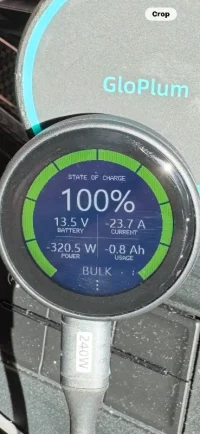
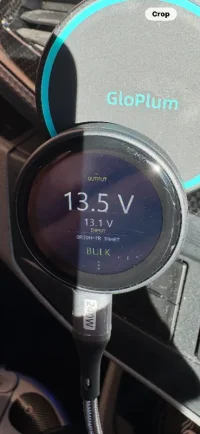
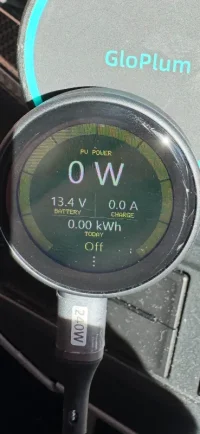
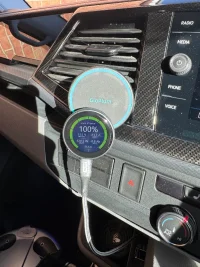
Set up and temporarily attached to my phone charger. Do the readouts look right? The Pv out is showing 0? Is that because the battery is 100% or have I done something wrong?

IMG_8487.webp

IMG_8488.webp

IMG_8489.webp

IMG_8482.webp
 
Nice little setup, does the device stick to that magnetic mount?

As for solar, I'm not sure.
I think mine doesn't say it's off when the battery is full.
You best check the app, this device should show whatever the app is showing.
 
Thanks, I’ll have a check. I stuck a washer on the back with some double sided tape. Can easily be removed when I decide it’s permanent location.
 
Received mine today and its brilliant. I have the Cerbo GX, but this device will mean you don´t the GX. Will do a full review in a few weeks after I have decided where its going on the dash. Highly recommended.
 
Firmware update.

I think it should please a few of your.

A lot has changed since beta 6.14, so here is a quick summary of what has been added and improved.

The biggest change is that ChargeScreen now supports quite a few more optional screens. These can be turned on or off from the WiFi setup page, so you only need to show the devices you actually use.

New screens added since beta 6.14:

  • Victron Smart BatteryProtect
  • Victron Lynx Smart BMS
  • Victron DC Energy Meter
  • Victron Smart Battery Sense
  • Fogstar Drift Bluetooth Battery ****
  • Roamer Bluetooth Battery ****
The Victron screens use Instant Readout, so each one has its own key box in the WiFi setup page. The Fogstar and Roamer screens are experimental Bluetooth battery screens using the same JBD-style battery support already used for Eco-Worthy batteries.

There have also been some setup changes. New devices now start with Demo Mode on, so you can scroll through all available screens straight away and see what ChargeScreen can display. When Demo Mode is turned off, the device goes back to showing only the Victron SmartShunt / BMV Battery Monitor screen unless other screens have been enabled in WiFi setup.

The WiFi settings page has also been tidied up. Victron devices are grouped together, device names are clearer, and the setup guide has been simplified so users can follow it step by step.

A couple of important fixes are included too:

  • Victron Smart Battery Sense should no longer be mistaken for a SmartShunt.
  • Eco-Worthy/JBD battery scanning has been improved.
  • Fogstar Drift and Roamer battery pages now keep their own separate data/status rather than sharing Eco-Worthy’s display state.
As always, the newer battery types may need real-world testing. If a Fogstar or Roamer battery does not show data, the best next step is to use the BLE Capture option from the WiFi page and send over the capture file so support can be tightened up.


Firmware has been added to chargescreen.co.uk
 
I could do with people testing and reporting back if these other items are working, as I'm adding from what I can see on the Web
 
Back
Top