Guide: T6.1 full lower dash removal

T6Ollie

Senior Member
VIP Member
T6 Guru
I couldn't find a guide detailing a full lower dash removal for a T6.1 so as I was doing it today I decided to document the process.

A few things to mention:
  • A lot of the dash is held on with clips, some might break, if you follow this guide you accept this risk. (I didn't break any but the plastic is only 4 years old).
  • You will need some trim removal tools, if you attempt this with a screw driver or kitchen fork you will damage your dashboard.
  • This will likely take you about 1 - 2 hours the first time.
  • I am not a professional, this is the first time I have done this and it's very likely there is a better way.
  • My van is a DSG highline, you might have more cable clips with a higher spec van but otherwise this should be the same for manual vans (if someone can confirm that would be great).
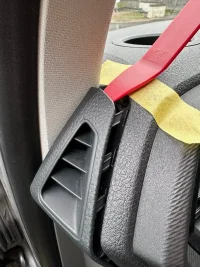
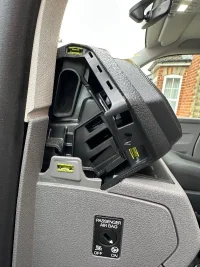
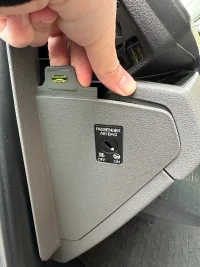
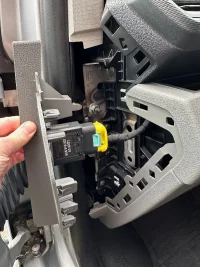
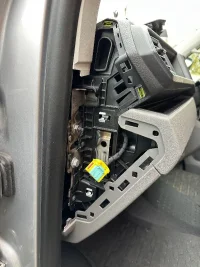
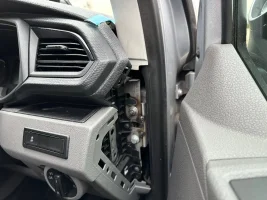
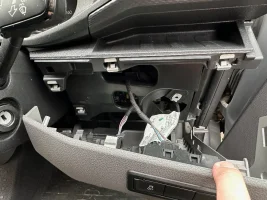
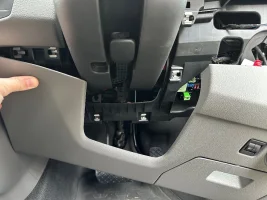
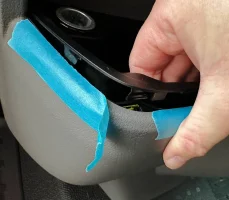
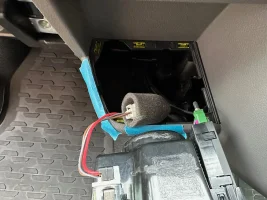
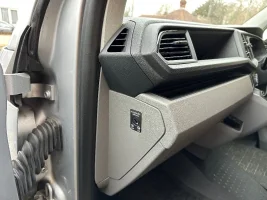
Starting from the passenger side, you will need to remove the air vent and side panel. The air vent is easy to remove, you might even be able to do it with your hands and then the lower panel can be removed by hand as shown here. Unclip the airbag switch and step 1 is done. Don't turn on the ignition without reconnecting this switch as I believe you will trigger a system fault that will need to cleared.

IMG_3634.jpegIMG_3635.jpegIMG_3637.jpegIMG_3638.jpegIMG_3639.jpegIMG_3640.jpeg

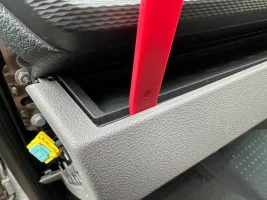
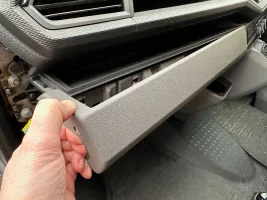
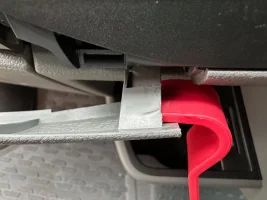
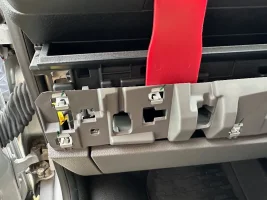
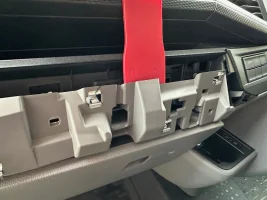
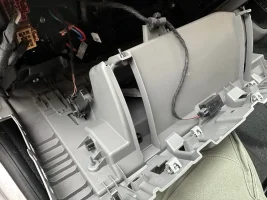
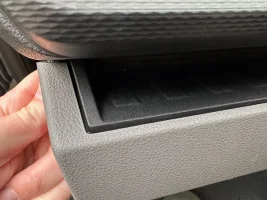
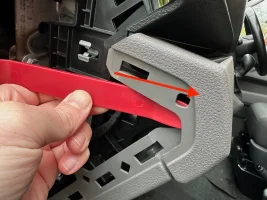
Now to remove the trim above the dashboard, you will need to push it forwards away from the dashboard, you can create some space to insert a trim tool by pressing the grey part forwards (first image) or you can insert a trim tool down the side and apply forwards pressure (I preferred this to avoid damage trying to level from the top). There are a couple of prongs that need to be unclipped by gently pressing them towards the passenger door.
IMG_3641.jpegIMG_3642.jpegIMG_3643.jpegIMG_3644.jpegIMG_3646.jpeg

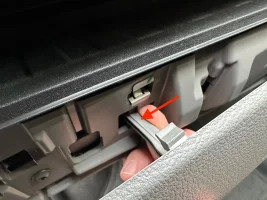
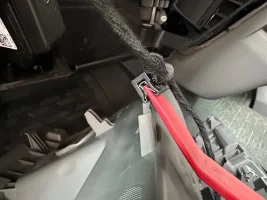
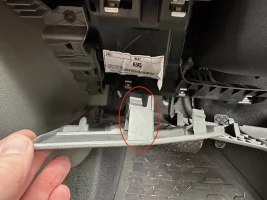
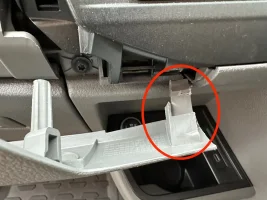
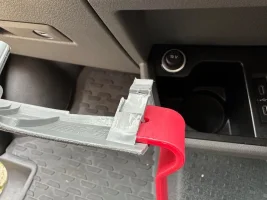
Now comes the first tricky part, the last clip on this panel is very stubborn. If you don't need to remove it I suggest you don't but in case you want to I had to wiggle it gently whilst using a trim tool like this:
IMG_3647.jpegIMG_3650.jpegIMG_3652.jpeg

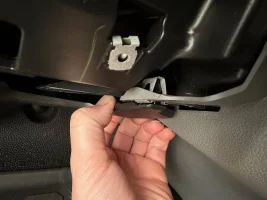
Under the glove box there is a black trim, this can be pulled down at the front, in the image below I was expecting to pull just one clip out and it all came away. Unclip the light and put the tray to one side:
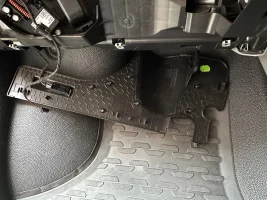
IMG_3671.jpegIMG_3672.jpeg

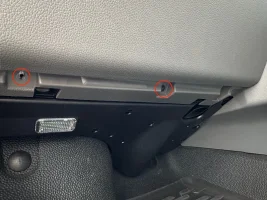
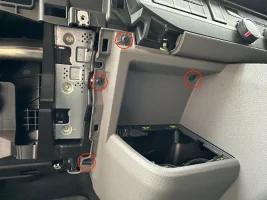
You will now have access to 6 torx screws, 3 above and 3 below the glove box, remove them all:
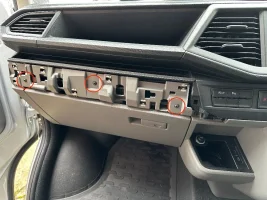
IMG_3653.jpegIMG_3656.jpeg
 
Last edited:
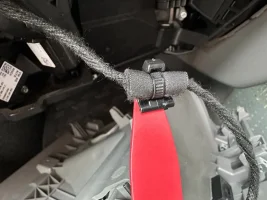
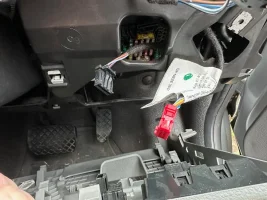
The glove box will now come out, tool here is for demonstration you can do this with you hands. Unclip the two cables and the passenger side removal is complete, I opted to remove the clip from the glove box but you could snip the cable tie and replace if you wanted:

IMG_3654.jpegIMG_3655.jpegIMG_3659.jpegIMG_3660.jpegIMG_3661.jpeg

Congratulations, passenger side done!

IMG_3662.jpeg

Now moving the drivers side, you need to remove the air vent and side panel exactly the same as the passenger side:

IMG_3680.jpeg

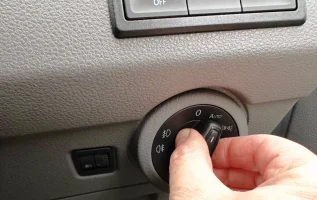
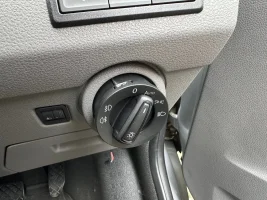
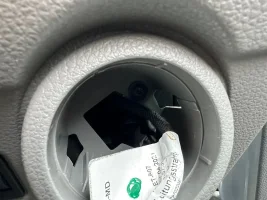
The light switch can be removed by turning to 0, pressing it in and then turning clockwise one position, it will then slide out revealing a screw which needs to be removed, also remove the switch:
IMG_3681.jpgIMG_3682.jpegIMG_3683.jpeg

You should now be able to remove the drivers side trim, I had already removed the black cover at the bottom so you might need to do that as well but like the passenger side it just pulls away. All of this is now just clips however there is one big one that might give you some trouble (at the top in the middle of the panel, left side of the steering wheel):

IMG_3684.jpegIMG_3685.jpeg

I found that gentle wiggling and slight rotation like this freed it:

IMG_3686.jpeg

Unclip the various clips and that's the drivers side done too:

IMG_3687.jpeg
 
Last edited:
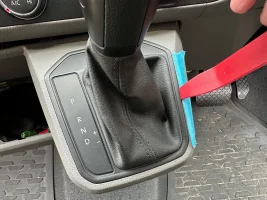
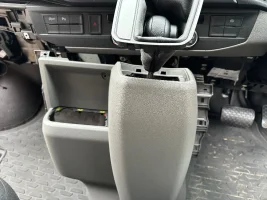
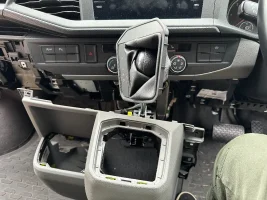
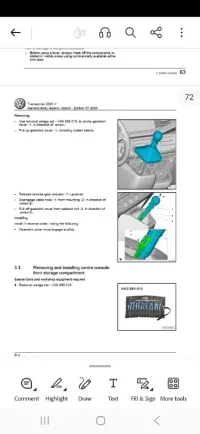
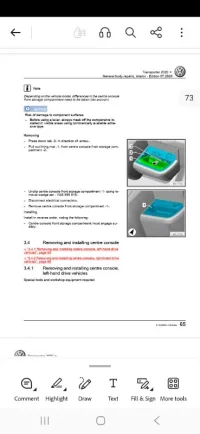
Moving on to the centre section now, first remove the cup holder and gear surround - I was able to pull the cup holder up without using any tools but you might need to prise it up, unclip the cables and put the cup holder to one side:

IMG_3665.webpIMG_3666.webp

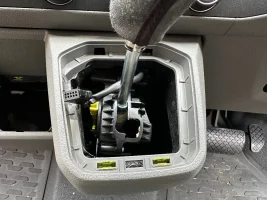
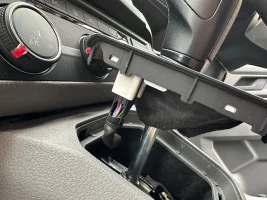
For the gear selector, I found the right hand side had enough movement to get a tool in but the two clips are on the front lip so that might be a better option, unclip the cable:

IMG_3675.webpIMG_3678.webpIMG_3677.webp

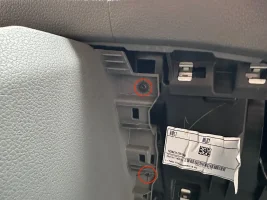
Now you need to remove a few screws to finally free the middle section, four on the left, three on the right:

IMG_3669.webpIMG_3688.webpIMG_3673.webp

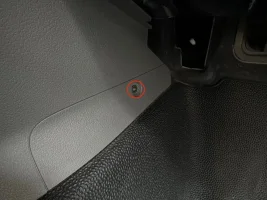
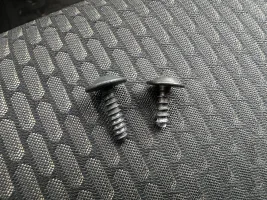
The one at the bottom in the drivers footwell is the only screw that is different in this whole process (it's smaller) so make sure to put that one back in the right place during reassembly:

IMG_3674.webp

At this point you should be able to remove the middle section, there are some clips but it will pull forwards, the gear surround can just about be manipulated through the hole:

IMG_3691.webpIMG_3692.webp

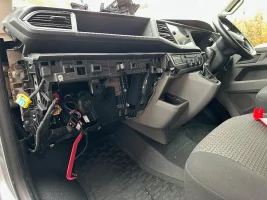
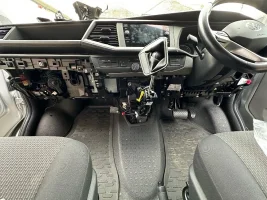
Congratulations you have removed the entire lower dash!

IMG_3696.webp

Don't ask me how to put it back together! 😅
 
Last edited:
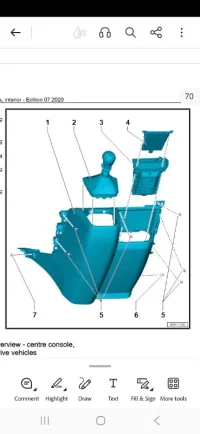
Nice write up. Exactly the way I removed my lower trim on my previous t6.1 when I upgraded the lower trim to that of the titan black caravelle ones.

If you are changing the glovebox, when you remove the lock barrel, make sure the key is in the lock. It is held in by 4 plastic clips that need prising apart from lock collar.
 
Btw my dash is currently still off so if you have any questions or want or need other photos, now is the time to ask!
Morning Ollie, just read your description of the lower dash removal. Brilliant.
I’m doing the same with mine but I’m struggling and wonder if you can help.
My 6.1 is a manual gear shift and while I can remove the glovebox and lower black panel along with the driver side lower panels I’m struggling to remove the centre gear lever panel.
The slim trim you need to remove to access the upper screws on the glovebox is 99% off just a clip on the far right doesn’t want to release.
I can see one screw on the top left of the gear shift panel but am now struggling.
Are there more screws to be removed may be further along behind the upper trim on the right hand side next to panel with the problem clip.
Any suggestions?
Thanks.Carl.
 
Hi Carl, sorry but I don’t know if the manual dash is any different, I assumed it wouldn’t be. Maybe someone with a manual van can chime in?
 
@DanW81 I noticed you were selling all the lower black bits for the dash, you don't have a full list of part numbers do you? I'm looking to do this soon but struggling with definitive part numbers
 
Hi, I may still have the part numbers only of the bits I had ordered. Bare with me please
 
Back
Top