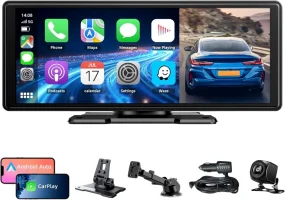
I have added some additional screens on my Infotainment screen via Carplay and i-Phone with Bluetooth connection to an OBD II BLE4 Diagnostic device.
This is how I did it:
1 - I bought a Vgate iCar Pro ELM327 BLE 4.0 -
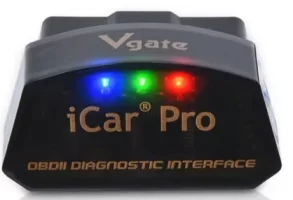
2 - I downloaded free Car Scanner ELM OBD2
3 Plugged the Scanner device into the car and with ignition on paired my i-phone with the scanner.
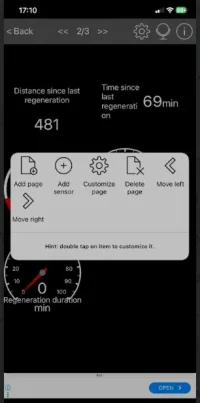
4 - In the phone App under "Dashboard" I created a new dashboard in the customisable page option and renamed it "DPF status".
Under that new dashboard I added various things to have on the dashboard relating to the DPF (DPF regen, regen duration, time since last regen)- this is done by scrolling through a very long list of the available things to monitor.
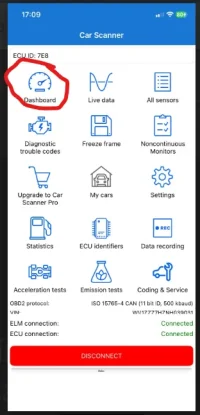
5 - Then I renamed the two existing dashboards (only three dashboards can be created in the free version of the App), and named one "temperatures" and the other "Ad Blue status infromation). Under these dashboards I added items that I wanted to monitor (again from the very long list of items available)
6 - Under carplay on my phone in the App list I moved the car scanner app to near the top of the list, so it would be more visible on the cars Infotainment screen.
7 - Once all configured on in the App on my phone I started carplay and brought up the Car Scanner app on the Infotainment screen:
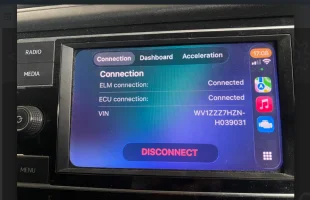
and had pretty much what I wanted:
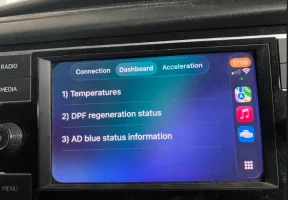
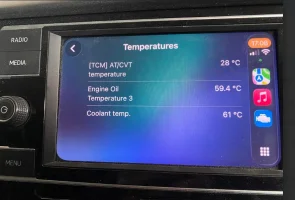
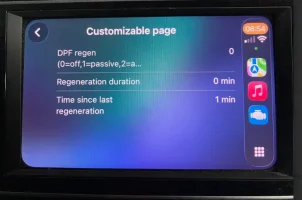
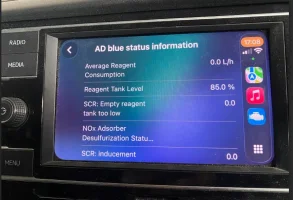
With such a long list of things you can monitor you can fill your boots with a plethora of useful information until yoou have complete overload !
This is how I did it:
1 - I bought a Vgate iCar Pro ELM327 BLE 4.0 -
2 - I downloaded free Car Scanner ELM OBD2

3 Plugged the Scanner device into the car and with ignition on paired my i-phone with the scanner.
4 - In the phone App under "Dashboard" I created a new dashboard in the customisable page option and renamed it "DPF status".
Under that new dashboard I added various things to have on the dashboard relating to the DPF (DPF regen, regen duration, time since last regen)- this is done by scrolling through a very long list of the available things to monitor.
5 - Then I renamed the two existing dashboards (only three dashboards can be created in the free version of the App), and named one "temperatures" and the other "Ad Blue status infromation). Under these dashboards I added items that I wanted to monitor (again from the very long list of items available)
6 - Under carplay on my phone in the App list I moved the car scanner app to near the top of the list, so it would be more visible on the cars Infotainment screen.
7 - Once all configured on in the App on my phone I started carplay and brought up the Car Scanner app on the Infotainment screen:
and had pretty much what I wanted:
With such a long list of things you can monitor you can fill your boots with a plethora of useful information until yoou have complete overload !
Last edited:


 .
.