
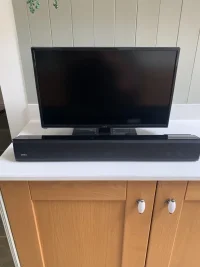
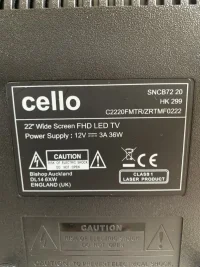
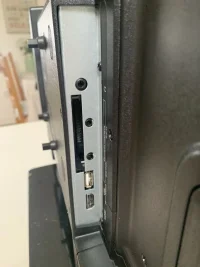
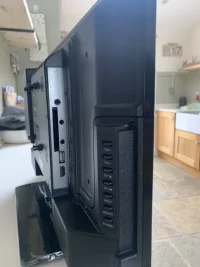
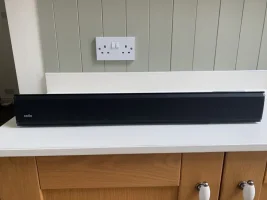
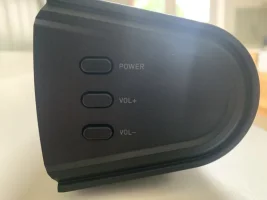
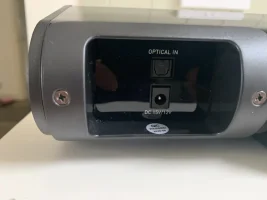
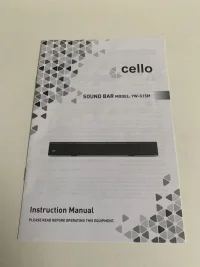
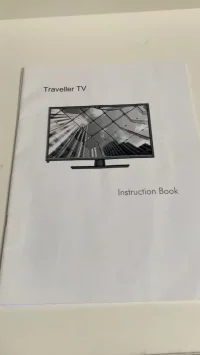
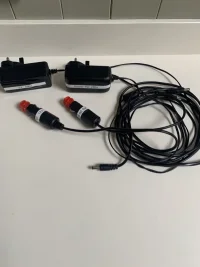
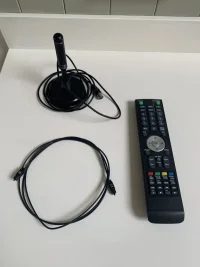
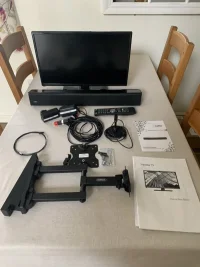
I have a Cello TV/DVD player for sale i it comes with a cello sound bar plus fibre optic cable
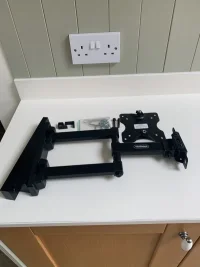
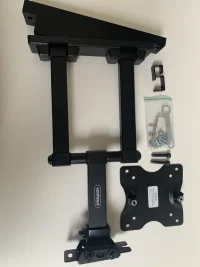
TV aerial and a bracket which mounts to the B pillar immediately behind the drivers seat.The bracket
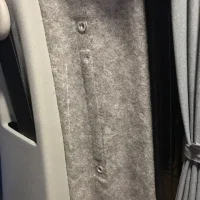
attaches to two factory pre-drilled holes intended for the handle for vans fitted with two sliding doors.
In excellent condition very rarely used i am asking for £150 i would prefer collect in person i live in the Chester area.
Bracket Installation Instructions:
Fitting takes approximately 20 mins with the correct equipment.
Simply attaches to the side of the van using two Captive M6 Bolts, behind the drivers seat and allows the TV Bracket to be mounted to the bracket
To complete the setup you will need:
2 x M6 Rivnuts to install into the van (supplied)
1 x Rivnut insert tool to install rivnuts to van
2 x M6 20-25mm Bolts to fasten wedge to van (supplied)
2 x M6 15-20mm Bolts to attach TV Bracket to the wedge (supplied)
Basic tools: Allen Keys, M9/9.5mm Cobolt/Tin Drill Bit
Step one: Locate the two pre-drilled holes on the side of the van (YOU DO NOT NEED TO DRILL ANY NEW HOLES). These would have been the placement holes for the twin sliding door handle. T5 + 6 only
Step two: Drill out to expand (only if needed, sometimes they need the slightest of adjustment - test with the 9mm supplied rivnuts) the two stock holes using a M9-9.5 (Measure first!) Ground Drill Bit
Install the Captive Nuts using your RivNut Insert tool
*YOU DO NOT NEED TO DRILL OUT NEW HOLES, the hole centres match perfectly to the existing holes in the B Pillar. We have seen people drill out the side of the van when fitting another brand of bracket so you do not need to drill new holes!!
Step three: Test fit the bracket but do not screw it to the van
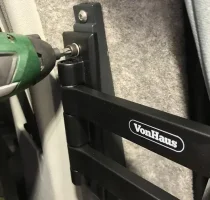
Step four: Install the wedge to the van. Use the M6 Bolts to secure the wedge. Fit and install Vonhaus TV Bracket to the wedge.
Step five: Secure the mount and bracket to the side of the van - Do not over tighten
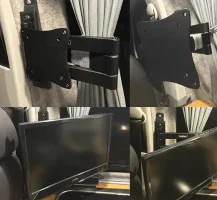
Step six: Install TV to the mount and bracket. Secure and tighten the bolts to stop the bracket from moving. The lower hole on the VonHaus bracket is wider to allow for slight adjustment
TV aerial and a bracket which mounts to the B pillar immediately behind the drivers seat.The bracket
attaches to two factory pre-drilled holes intended for the handle for vans fitted with two sliding doors.
In excellent condition very rarely used i am asking for £150 i would prefer collect in person i live in the Chester area.
Bracket Installation Instructions:
Fitting takes approximately 20 mins with the correct equipment.
Simply attaches to the side of the van using two Captive M6 Bolts, behind the drivers seat and allows the TV Bracket to be mounted to the bracket
To complete the setup you will need:
2 x M6 Rivnuts to install into the van (supplied)
1 x Rivnut insert tool to install rivnuts to van
2 x M6 20-25mm Bolts to fasten wedge to van (supplied)
2 x M6 15-20mm Bolts to attach TV Bracket to the wedge (supplied)
Basic tools: Allen Keys, M9/9.5mm Cobolt/Tin Drill Bit
Step one: Locate the two pre-drilled holes on the side of the van (YOU DO NOT NEED TO DRILL ANY NEW HOLES). These would have been the placement holes for the twin sliding door handle. T5 + 6 only
Step two: Drill out to expand (only if needed, sometimes they need the slightest of adjustment - test with the 9mm supplied rivnuts) the two stock holes using a M9-9.5 (Measure first!) Ground Drill Bit
Install the Captive Nuts using your RivNut Insert tool
*YOU DO NOT NEED TO DRILL OUT NEW HOLES, the hole centres match perfectly to the existing holes in the B Pillar. We have seen people drill out the side of the van when fitting another brand of bracket so you do not need to drill new holes!!
Step three: Test fit the bracket but do not screw it to the van
Step four: Install the wedge to the van. Use the M6 Bolts to secure the wedge. Fit and install Vonhaus TV Bracket to the wedge.
Step five: Secure the mount and bracket to the side of the van - Do not over tighten
Step six: Install TV to the mount and bracket. Secure and tighten the bolts to stop the bracket from moving. The lower hole on the VonHaus bracket is wider to allow for slight adjustment


