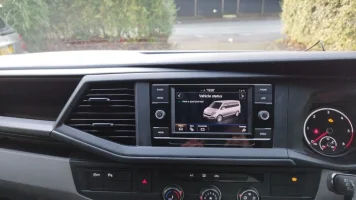
Transporter T6.1 Head Unit Failure

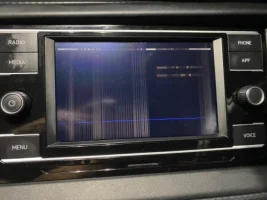
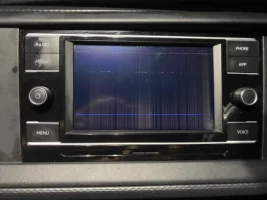
The head unit on our T6.1 (August 2021) had a brain fart on Sunday and is now unusable:

20753648-B391-4CA2-AFAB-E5DE4CF77F1A.webp7472D99F-4481-44DF-A65C-AB0E4ADD15DF.webp

The audio works, and I can cycle through the modes using the buttons.

I have spent several hours scanning the many audio threads; forgive what may be a dumb question but I’m not clear if I need to replace the digitiser or the full screen ?

I’m pretty annoyed that this should fail after four years, but does appear to be a common fault.
Based on the images attached, is this a full screen failure ?

Can anyone recommend a UK source of components to effect a repair, please ?
 
I assume you don’t have the All in plan.

This issue was one of the couple of reasons I stumped up for the protection - although from what I hear vw don’t have a supply of head units available.

There will be someone on here I am sure however I’ve only come across a guy on Fb Called moody ysm I think. He’s in most of the fb groups.
 
  • Like
Reactions: CAB
I ordered a replacement screen from eBay seller ‘autosolutionsbfd’ for £83 (£89 less discount code).


The whole process took less than an hour including the photos.
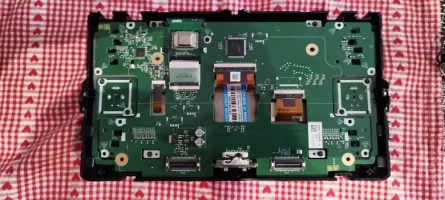
Removing the trim and unit is well documented online, hopefully these photos of the screen replacement will be useful.

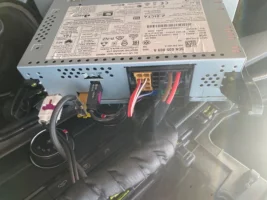
Wiring 1.jpg


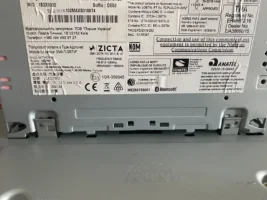
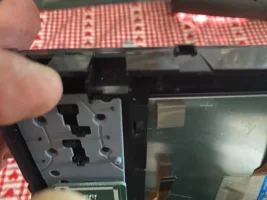
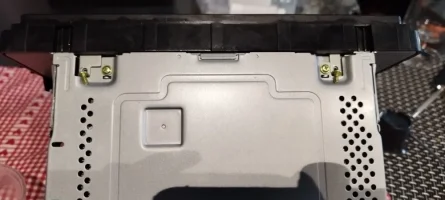
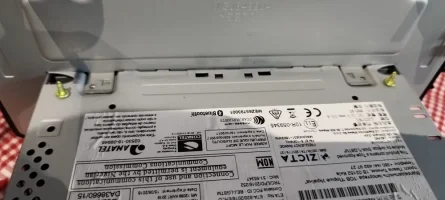
The unit consists of a base and screen, connected by four screws

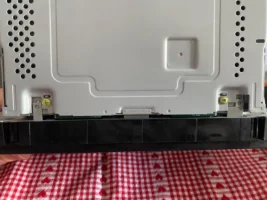
Split 2.jpg
Split 3.jpg


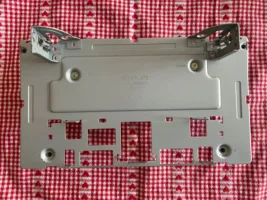
Undo the four small black and two brass finish screws and remove the screen back plate.

Rear panel 4.jpg


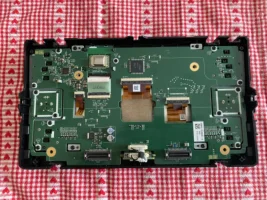
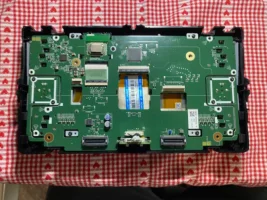
Remove the eight small black screws around the periphery of the board (2 in each corner), do not remove the two screws which secure each control knob.

Rear panel 5.jpg


Remove the four screws which retain the screen clamp brackets, these are visible through the pcb.
Release the three clamps which secure the orange ribbon cables to the pcb by levering the clamp bar upward with a small pry tool.

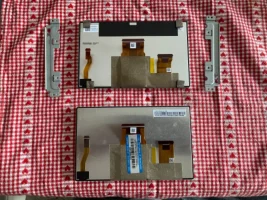
Ease the pcb away from the top of the case and slide the damaged display out, along with the two clamp plates and insulation rubber strips.
Note that the rubber strips are retained by small moulding pips adjacent to the screen edge, and may remain in-situ.

The original screen has four soft foam pads; these are not present on the replacement so I transferred them to the new screen.

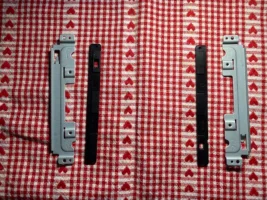
Take care to familiarise yourself with the position of these components, you need to refit them after sliding the new screen into place.

Old v new 6.jpg
Screen clamps 7.jpg


Slide the new screen in position, refit the rubber pads onto the moulded pins followed by the retaining brackets and secure them with four screws.

Slide in 8.jpg
Screen fitted 9.jpg


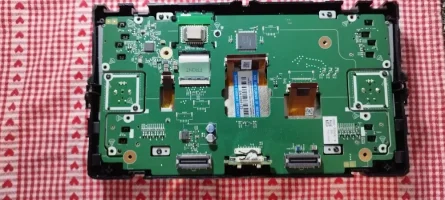
Pass the three ribbon cables through the apertures in the pcb

Screen not connected 10.jpg


Secure each ribbon cable carefully into the socket and press the clamp bar down into the locked position.

Screen connected 11.jpg


Replace the eight screws around the pcb and refit the back plate.
Rejoin the two units by pushing firmly together and refitting the four screws

Join units 11.JPG

Join units 12.JPG

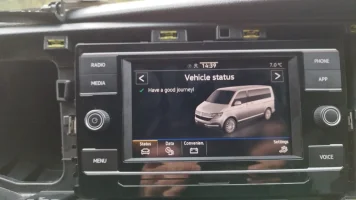
Reconnect to the vehicle and test your work

Power on 13.JPG

Refit the plastic trim and congratulate yourself on a job well done 👍

Done 15.JPG

As with all online articles, you attempt this repair at your own risk.
This method worked well for me, however I accept no liability for your ham-fisted incompetence.
 
Last edited:
I ordered a replacement screen from eBay seller ‘autosolutionsbfd’ for £83 (£89 less discount code).


The whole process took less than an hour including the photos.
Removing the trim and unit is well documented online, hopefully these photos of the screen replacement will be useful.

View attachment 311589


The unit consists of a base and screen, connected by four screws

View attachment 311588
View attachment 311582


Undo the four small black and two brass finish screws and remove the screen back plate.

View attachment 311578


Remove the eight small black screws around the periphery of the board (2 in each corner), do not remove the two screws which secure each control knob.

View attachment 311585


Remove the four screws which retain the screen clamp brackets, these are visible through the pcb.
Release the three clamps which secure the orange ribbon cables to the pcb by levering the clamp bar upward with a small pry tool.

Ease the pcb away from the top of the case and slide the damaged display out, along with the two clamp plates and insulation rubber strips.
Note that the rubber strips are retained by small moulding pips adjacent to the screen edge, and may remain in-situ.

The original screen has four soft foam pads; these are not present on the replacement so I transferred them to the new screen.

Take care to familiarise yourself with the position of these components, you need to refit them after sliding the new screen into place.

View attachment 311584
View attachment 311579


Slide the new screen in position, refit the rubber pads onto the moulded pins followed by the retaining brackets and secure them with four screws.

View attachment 311581
View attachment 311580


Pass the three ribbon cables through the apertures in the pcb

View attachment 311587


Secure each ribbon cable carefully into the socket and press the clamp bar down into the locked position.

View attachment 311586


Replace the eight screws around the pcb and refit the back plate.
Rejoin the two units by pushing firmly together and refitting the four screws

View attachment 311583

View attachment 311576

Reconnect to the vehicle and test your work

View attachment 311577

Refit the plastic trim and congratulate yourself on a job well done 👍

View attachment 311590

As with all online articles, you attempt this repair at your own risk.
This method worked well for me, however I accept no liability for your ham-fisted incompetence.

Absolute god send of a post, screen died last week and was worried another big bill was heading my way, 45 mins work this evening in the dark and I have a functioning screen again.
 
Back
Top